 Skip to content

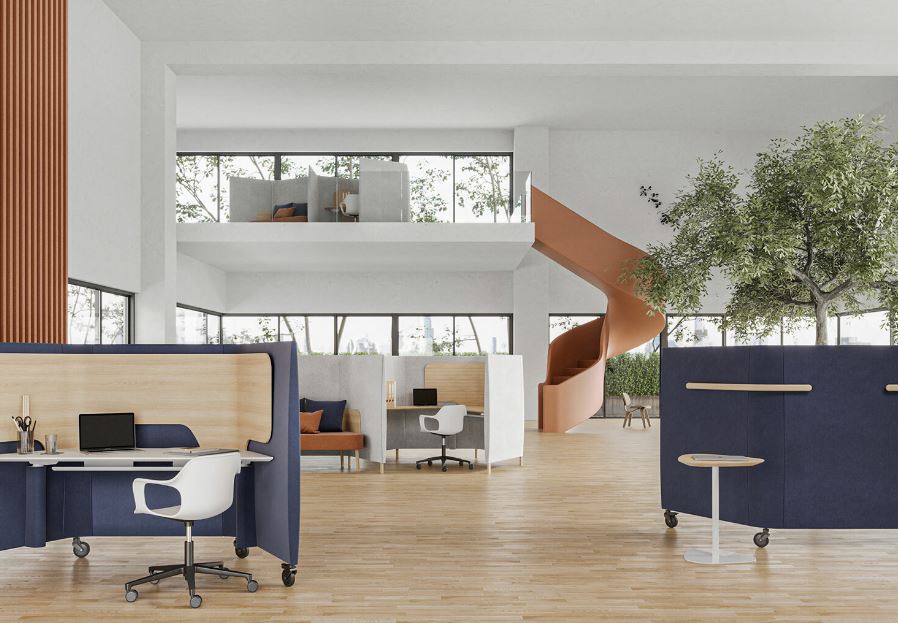
An effective workplace needs furniture that supports productivity, organization, comfort, and efficient use of space. For businesses planning a new office or upgrading an existing one, Office Workstations Philippines can provide a practical solution for creating structured work areas without making the office feel crowded. From corporate offices in Manila to growing companies in Quezon City, the right workstation layout can help teams collaborate while still giving employees a dedicated space to focus.
What Are Office Workstations?
Office workstations are dedicated employee work areas that usually combine a desk surface, storage, partitions, cable management, and seating space into one organized setup. Unlike using individual desks placed randomly around a room, workstations are designed to create a coordinated office layout.
They can be configured for individual employees, two-person teams, departments, or larger groups. Depending on the workplace, businesses may choose straight desks, L-shaped workstations, benching systems, modular units, or workstation clusters.
A well-designed workstation should balance three important factors: employee comfort, available floor space, and the type of work being performed.
Why Businesses Choose Office Workstations in the Philippines
Office environments in the Philippines vary considerably. A startup may need to accommodate a growing team in a compact office, while an established company may need hundreds of organized work areas. Office workstations can be adapted to different workplace sizes and operational requirements.
One major advantage is efficient space planning. Workstations allow businesses to organize employees into defined areas while maintaining clear walkways and shared spaces. This can be especially useful for offices in busy commercial areas of Manila and Quezon City, where maximizing available floor space can be an important consideration.
Workstations can also create visual consistency. Matching desks, partitions, storage units, and finishes can give an office a more organized appearance while supporting a professional environment for employees, clients, and visitors.
Types of Office Workstations to Consider
Different businesses require different workstation configurations. Understanding the available options makes it easier to select furniture according to the office layout and working style.
Straight Office Workstations
Straight workstations are suitable for offices where employees primarily need individual desks with a simple layout. They can be arranged in rows or clusters and are often useful when efficient floor planning is a priority.
L-Shaped Workstations
L-shaped workstations provide additional desk surface and can separate computer equipment, documents, and other work materials. They may work well for employees who handle multiple tasks throughout the day.
Bench Workstations
Bench-style workstations place multiple employees along a shared desk structure. This arrangement can support collaborative teams and make it easier to accommodate changing team sizes.
Cluster Workstations
Cluster systems group several work areas together. They can help create departmental zones while making efficient use of the available floor area.
Modular Workstations
Modular workstations are designed with flexibility in mind. Components can often be rearranged or expanded as a business changes its office requirements.
How to Choose Office Workstations for Your Business
Selecting office furniture should begin with the actual requirements of the workplace rather than appearance alone. Consider how many employees will use the space, what equipment they need, how departments interact, and how much room is available.
Measure the office before purchasing furniture. Account for desks, chairs, storage, walkways, meeting areas, doors, windows, columns, and access points. A workstation that looks suitable in a showroom may not work effectively if the overall office circulation has not been planned.
It is also important to consider the type of work. Administrative teams may need storage and larger desk surfaces, while technology-focused teams may prioritize monitor space and cable management. Managers or employees who frequently meet clients may require different configurations from employees who primarily perform individual tasks.
Office Workstations and Employee Comfort
Ergonomics should be part of Office Workstations Philippines planning from the beginning. Employees spend many hours at their desks, so workstation dimensions should support comfortable working positions.
Desk height, monitor placement, chair adjustment, legroom, keyboard positioning, and available workspace can all affect everyday comfort. Good office planning should also provide sufficient movement space and avoid forcing employees into cramped positions.
The workstation itself is only one part of an ergonomic setup. Adjustable office chairs, appropriate monitor positioning, adequate lighting, and sensible desk organization should be considered together.
Office Workstations for Manila and Quezon City Businesses
Companies searching for Office Workstations Philippines may have very different requirements depending on their location, building, workforce, and available floor area.
Manila businesses may operate in commercial buildings where space planning and efficient layouts are important. Quezon City offices can range from startups and professional practices to large corporate facilities, schools, healthcare organizations, and government-related workplaces.
For local businesses, it can be useful to work with an office furniture provider that understands commercial workspace requirements. Discussing floor plans, employee numbers, workstation dimensions, materials, delivery requirements, and installation can help prevent costly purchasing mistakes.
Materials and Finishes Matter
The material and finish of a workstation affect its appearance, durability, maintenance requirements, and suitability for the workplace.
Common workstation components may include engineered wood panels, laminate surfaces, metal frames, glass partitions, modesty panels, and storage components. The best combination depends on the intended use and budget.
For high-traffic offices, surfaces that are easy to clean and maintain can be particularly practical. Businesses should also consider how the workstation finish fits with existing flooring, walls, reception furniture, meeting tables, and storage systems.
Cable Management Should Not Be Overlooked
Modern workstations often support computers, monitors, phones, chargers, networking equipment, and other electronics. Without proper cable management, desks can quickly become cluttered.
Look for workstation systems that provide practical solutions for routing and organizing cables. Cable trays, wire openings, concealed channels, and accessible power locations can contribute to a cleaner workspace.
Good cable management is not only about appearance. It can also make cleaning and equipment maintenance easier while reducing loose cables around employee work areas.
How Workstation Layout Can Support Productivity
Furniture does not automatically increase productivity, but a thoughtful workplace layout can remove unnecessary obstacles.
Employees should have enough room to work without feeling cramped. Frequently used equipment should be accessible, shared resources should be positioned logically, and walkways should remain clear.
Different departments can also benefit from different layouts. Teams that collaborate frequently may benefit from workstation clusters near shared spaces, while employees who require concentration may need quieter areas.
The goal is to create a workplace where furniture supports the way employees actually work.
Common Mistakes When Buying Office Workstations
One common mistake is choosing furniture based only on appearance. A workstation may look attractive but fail to provide adequate workspace, storage, or cable management.
Another mistake is purchasing before measuring the office. Even a high-quality workstation can become problematic when it blocks walkways or interferes with doors and other fixtures.
Businesses should also avoid ignoring future growth. If the company expects to add employees, selecting a modular workstation system may provide more flexibility than purchasing a fixed layout.
Finally, do not overlook installation. Correct assembly and placement are important for creating a stable, functional, and professional workstation environment.
Why Businesses Should Consider a Complete Office Furniture Plan
Workstations should not be selected in isolation. A complete office plan can include desks, ergonomic chairs, storage cabinets, pedestals, meeting tables, reception furniture, partitions, and collaborative areas.
When these elements are planned together, the office can achieve better visual consistency and more efficient space utilization.
Businesses working with Modern Desks and Office Cubicles can discuss their requirements before selecting workstation configurations. Factors such as employee count, office dimensions, department structure, furniture preferences, and budget can help determine an appropriate setup.
What to Check Before Ordering Office Workstations
Before placing an order, businesses should review several practical details:
- Available office dimensions
- Number of employees
- Workstation configuration
- Desk dimensions
- Storage requirements
- Cable management
- Partition requirements
- Material and finish
- Ergonomic considerations
- Delivery arrangements
- Installation requirements
- Future expansion needs
- Overall project budget
Having these details ready can make the purchasing process more straightforward and reduce the likelihood of selecting unsuitable furniture.
Frequently Asked Questions
What are office workstations used for?
Office workstations provide organized individual or shared work areas for employees while helping businesses use available office space efficiently.
How do I choose office workstations for a small office?
Start by measuring the available floor area, determining the number of employees, and choosing compact configurations that still provide sufficient workspace and movement areas.
Are modular workstations suitable for growing companies?
Yes. Modular systems can offer flexibility when teams expand, departments change, or the office layout needs to be reorganized.
What should I consider besides workstation design?
Consider dimensions, ergonomics, materials, storage, cable management, installation, maintenance, and future workspace requirements.
Can office workstations be customized?
Many workstation systems can be configured according to available space, employee requirements, storage needs, finishes, and preferred layouts.
Build a More Organized Workplace
Choosing the right workstation involves more than finding a desk that fits the office. Businesses should consider employee requirements, available space, workflow, storage, technology, ergonomics, and future expansion before making a decision.
For companies searching for Office Workstations Philippines, a practical approach is to begin with the workplace requirements and then select a configuration that supports those needs. Whether the project involves a compact startup office, a corporate workspace, a school, a healthcare facility, or a larger commercial environment, thoughtful furniture planning can create a more organized and functional workplace.
Businesses in Manila and Quezon City can also benefit from discussing their floor plan and furniture requirements with Modern Desks and Office Cubicles before finalizing their workstation selection. A consultation can help clarify suitable configurations, quantities, dimensions, and installation requirements while keeping the focus on creating a workplace that works effectively for its users.
